
📦 #028 - AI Developer Tools You Will be Amazed to Discover ⚡️👨💻
Explore AI tools that boost code quality, automate repetitive tasks, and help you ship faster than ever.

Hi, this is Madza! 👋
Welcome to the Twenty-Eighth issue of The Developer Toolbox!
Great developers know their limits. You can’t be an expert in testing, design, data science, and automation while also shipping features quickly.
From test automation and UI creation to web scraping, localization, computer vision, and data analysis, AI tools are there to help you fill the knowledge gaps.
I've manually curated essential AI developer tools across key areas to help you discover solutions that match your technical needs.
Each tool includes what it does, why it’s helpful, and a link to get started.
1. KaneAI - GenAI-Native End-to-End Testing Agent
KaneAI enables users to plan, author and execute end to end tests using natural language, making it easy for anyone to test their software without requiring technical expertise.
The platform understands your intent, analyzes it and converts it into comprehensive tests, checks every aspect of your app, and updates automatically when your product UI changes.

Some of the most awesome features include:
🗣️ Write tests in plain English: Describe what you want to test in natural language, and KaneAI generates structured, executable test cases automatically.
🔄 Test everything in one flow: Validate UI, APIs, databases, and accessibility together in seamless end-to-end tests without switching tools.
🤖 Smart test maintenance: KaneAI auto-detects and adapts to UI changes, and creates reusable test modules that stay resilient as your application evolves.
🔗 Integrated with your workflow: Build and assign test cases directly in Jira or Azure DevOps, and run tests on 3000+ browser/device combinations.
📊 Human oversight built in: Review and approve AI-generated test plans before execution, control step-level behavior, and get detailed analytics.

Ready to make test automation work for you instead of against? Get started with KaneAI and focus on building features, not maintaining tests!
🌎 Website Link: https://www.testmuai.com/kane-ai/
Thanks to the KaneAI team for sponsoring this newsletter issue!
2. Motiff - Generate modern UI designs
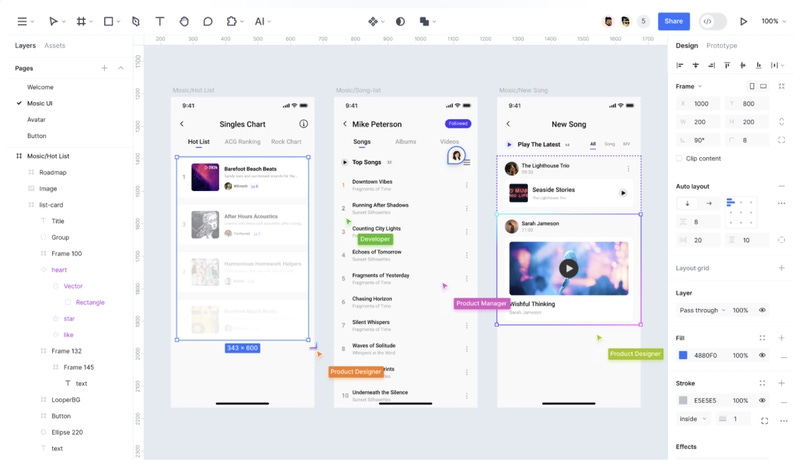
Motiff is an AI-powered professional interface designing tool which rapidly boosts UI/UX workflows by automating design creation, prototyping and developer collaboration.
Key features & why to use it:
AI-generated editable UI designs and styling presets
Real-time cloud collaboration and prototyping
Dev Mode for seamless design-to-code transfer
🌎 Website: https://www.motiff.com/
3. Maxun - Scrape the web on autopilot
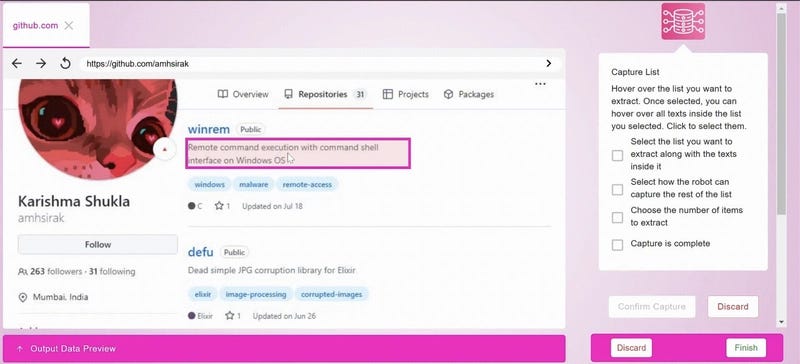
Maxun is an AI developer tool that lets you train a robot in 2 minutes to scrape the web on autopilot to gather web data without writing a single line of code - just point, click, and collect.
Key features & why to use it:
Maxun can handle infinite scrolling, pagination, and JavaScript-heavy websites
It solves CAPTCHAs and maintains a huge proxy pool to enable targeted data extraction
You can schedule Maxun robots to run at a specific time, or at regular intervals
🌎 Website: https://www.maxun.dev/
4. Algebras - Localize your full-stack apps
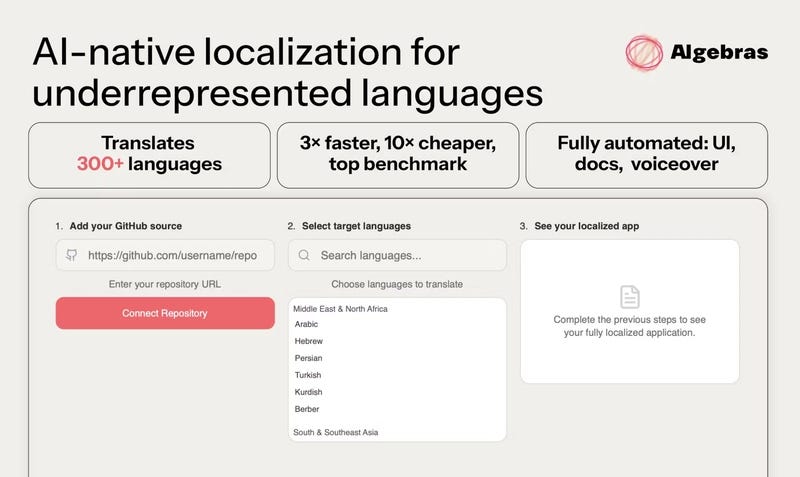
Algebras AI provides translations in 300+ languages that cut down on expenses and remove the need for human proofreaders, making it easy to adjust the product to new markets.
Key features & why to use it:
Automates localization with maximum translation accuracy
Localization of UI and page content with layout and style preservation
Fast integration of auto-translation into websites and apps
🌎 Website: https://www.algebras.ai/
5. Supervision - Detect computer vision objects

Supervision facilitates management, annotation, and improvement of computer vision datasets, thus enabling developers to speed up the process of training various data models.
Key features & why to use it:
Facilitates dataset annotation and quality assurance
Supports collaboration across teams
Integrates with popular machine learning frameworks
🌎 Website: https://supervision.roboflow.com/
6. Hex - Analyze and explore complex data
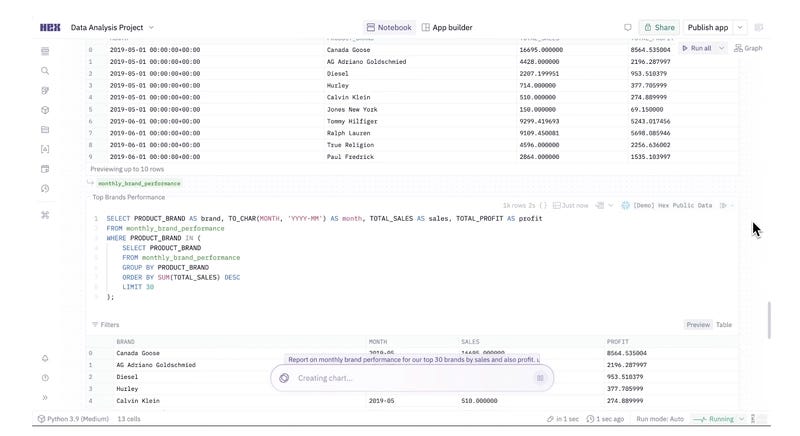
Hex is an AI analytics platform that combines SQL, Python, and no-code tools in collaborative notebook to assist teams in data exploration, and faster, data-driven decisions.
Key features & why to use it:
Embedded SQL and Python environment with no-code exploration
Instant collaboration, commenting, and version control
AI-driven conversational interface and components that you can reuse
🌎 Website: https://hex.tech/
7. ToDiagram - Visualize data into diagrams
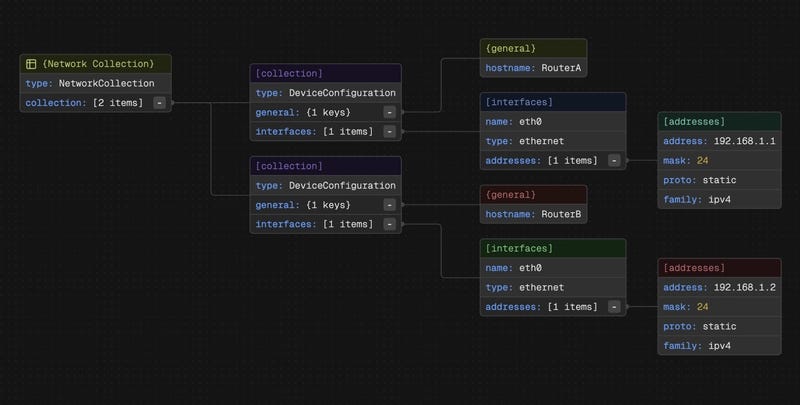
ToDiagram turns JSON, YAML, XML and other data into interactive and editable diagrams, that allows developers to grasp complex and larger volumes of data in a visual way.
Key features & why to use it:
AI-powered data filtering, restructuring, and translation
Chrome extension for direct web data visualization
Cloud storage and collaboration with data comparison tools
🌎 Website: https://todiagram.com/
8. AutoRegex - Generate regex patterns from text
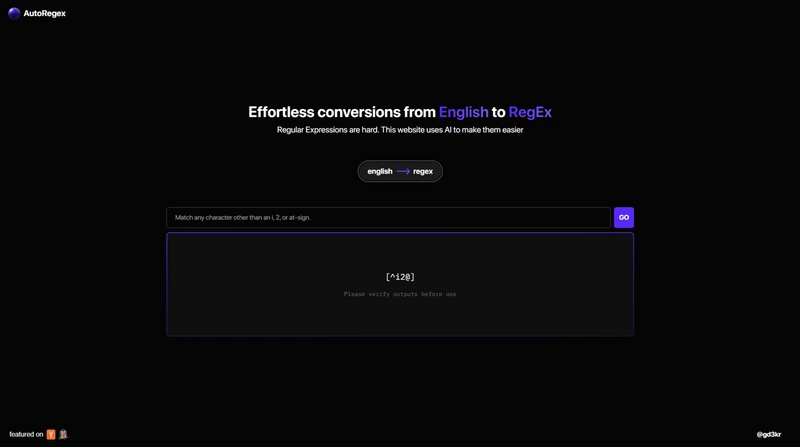
AutoRegex is an online tool that helps devs to quickly generate and test regular expressions by describing the pattern in a text format, saving time and reducing errors in complex pattern creation.
Key features & why to use it:
Natural language to regex pattern generation
Instant testing and validation of regex
Simplifies complex regex creation for all skill levels
🌎 Website: https://www.autoregex.xyz/

I really hope these resources provided practical value for you! If so, make sure to connect with me on Twitter and LinkedIn for daily content!
Also, I already have tons of ideas for the upcoming issues, so if you liked this one, make sure to share it with your friends and subscribe below!