
📦 #029 - AI Productivity Tools You Need to Bookmark for 2026 🔥👨💻
Discover AI solutions that simplify complex tasks, amplify your capabilities, and keep you ahead of the curve.

Hi, this is Madza! 👋
Welcome to the Twenty-Ninth issue of The Developer Toolbox!
Most people have great ideas, but lack the skills to bring them to life. Learning design, animation, music production, and video editing takes years.
From making graphics and animations to designing mockups, creating music, editing videos, and building mind maps, AI tools are there to assist.
I’ve manually curated some of the most useful AI solutions in the main creative areas to help you find the right tools that match your needs.
Each tool includes what it does, why it’s helpful, and a link to get started.
1. incident.io - Automate issue and outage management
incident.io helps engineering teams manage and fix critical issues quickly by bringing all incident response work into Slack or Teams, where your team already communicates every day.
The platform makes it simple to coordinate responses, keep everyone updated, and learn from problems so you can reduce downtime and improve how your team handles emergencies over time.

Some of the most awesome features include:
🚨 Works directly in Slack and Teams: Start managing an incident instantly with automatic channels, team assignments, and updates that keep everyone informed without switching apps.
📊 Custom workflows that fit your team: Set up your own incident processes, automatically notify the right people, and trigger actions based on how serious the problem is.
📝 Learn from every incident: Get automatic timelines of what happened, run blame-free reviews, and track follow-up tasks so your team gets better with each incident.
🔗 Connect with your existing tools: Link with PagerDuty, Datadog, Jira, Statuspage, and other tools you already use to keep all your incident info in one spot.
⚡ Detailed post-incident analysis: See how fast your team responds and resolves incidents, spot patterns, and measure improvements with easy-to-read dashboards.

Ready to stop panicking during outages and start fixing them faster? Get started with incident.io and resolve issues with confidence!
🌎 Website Link: https://incident.io
Thanks to the incident.io team for sponsoring this newsletter issue!
Also, join the incident.io webinar! 🚨
Learn how to run post-mortems that actually lead to learning and improvement.
Discover common pitfalls, how to structure them well, and explore a practical example of best practices.
📅 When it goes live: February 18, 11:00 AM — 12:00 PM CST
🌎 Secure your spot here: https://fandf.co/4trmOuD
2. Playground - Create AI-generated graphics
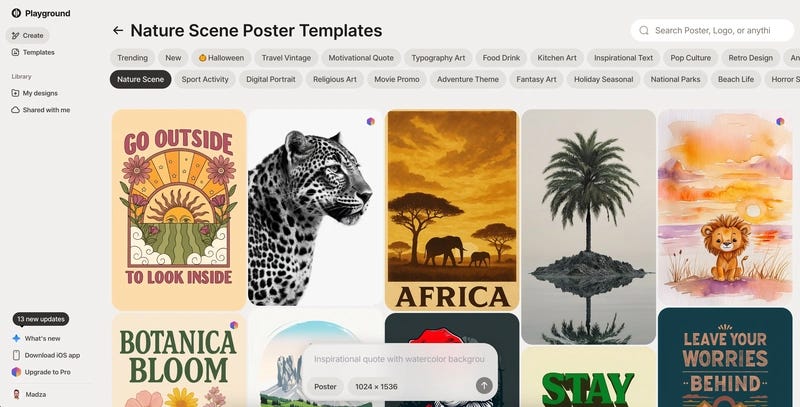
Playground allows you to generate creative graphics for a wide range of applications which include logos, posters, and social media posts as well as stickers, wallpapers, and book covers.
Key features & why to use it:
AI-powered design templates in 24 different categories, for a variety of creative needs.
With an easy-to-use interface, you can customize your design just by typing a prompt in.
The tool also facilitates easy sharing via the link and thus makes exporting the end product quicker.
🌎 Website Link: https://playground.com
3. Jitter - Generate engaging animations
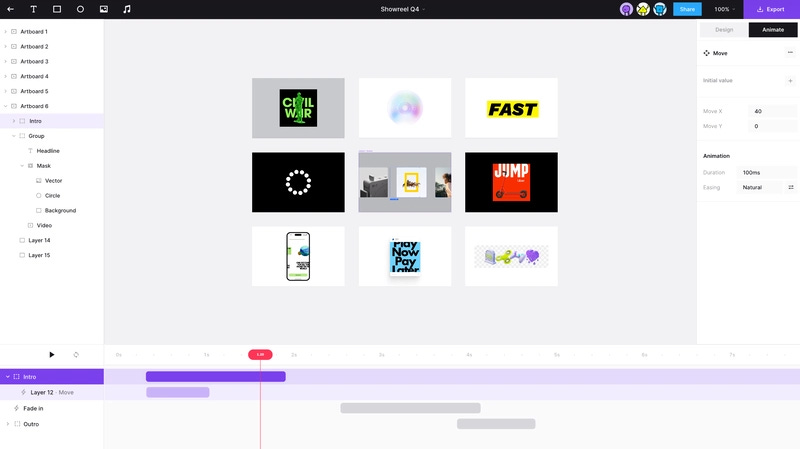
Jitter is a AI platform to create fablous animations and motion graphics which helps users to make captivating video content of social media, ads, marketing and a lot more.
Key features & why to use it:
Easy drag-and-drop animation creator with a visual timeline for layers and effects.
Lots of animation presets and effects for instant usage and idea generation.
Save as different video formats and resolutions, e.g., 4K video, GIF, Lottie, etc.
🌎 Website Link: https://jitter.video/
4. Flair - Craft creative product mockups
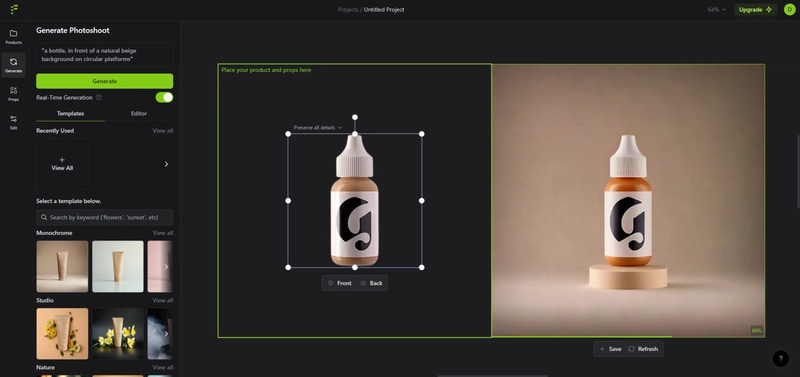
Flair uses AI to create the realistic product mockups on the fly which is a great way to improve your design presentation process for faster project delivery and better visual perception.
Key features & why to use it:
Many different kinds of mockup templates which cover a lot of different areas and products.
AI-powered picture quality processing that perfects the light, shadow, and texture of the image.
Flair API allows you to connect the AI-based content production directly into your work process.
🌎 Website Link: https://flair.ai/
5. Soundraw - Compose royalty-free music
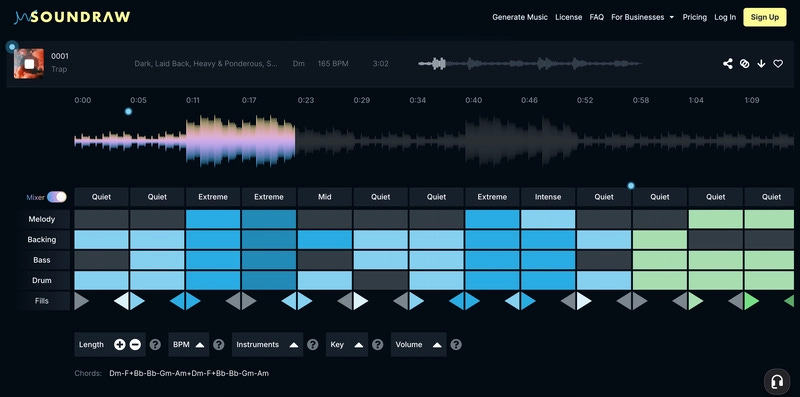
Soundraw is an AI-powered music generator that makes one-of-a-kind, royalty-free beats in different genres and moods that fit your projects, so that creators can save the time needed in music production.
Key features & why to use it:
AI-assisted blending of genres and customization of tracks to get the desired output.
Provides a royalty-free music downloading option with thousands of sample tracks.
Simple editing of song structure and various elements like instruments, duration, tempo, and key.
🌎 Website Link: https://soundraw.io/
6. Descript - Edit video content and podcasts
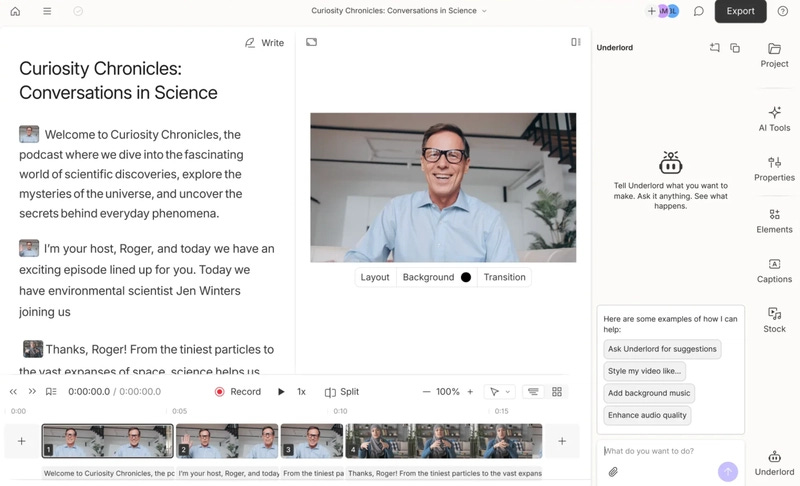
Descript is an AI-powered text-based video and audio editing system with a simple UI that allows people with little or no experience to make quick edits of their videos and podcasts.
Key features & why to use it:
Text-based editing along with transcriptions to cut down the content adjustment time and improve accuracy.
AI utilities like noise removal and green screen for your audio and video for professional grade outputs.
Automatically generated captions, translation, and smart transitions that adds to accessibility and storytelling.
🌎 Website Link: https://www.descript.com/
7. Revocalize - Produce studio-quality AI voices
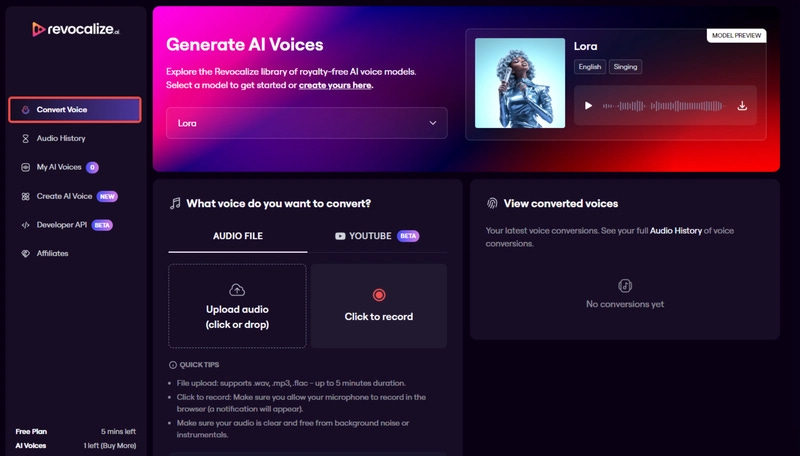
Revocalize AI provides a studio-quality, hyper-realistic AI voice generation and modulation, enabling users to create and enhance vocal content efficiently.
Key features & why to use it:
It captures the unique harmonics of a voice and transforms any input voice into the output.
Easily adjust the pitch, volume, and speed of singing or speech to create sweeter-sounding output.
Browse the catalog to find voices created by people from different corners of the world.
🌎 Website Link: https://www.revocalize.ai/
8. MindMap AI - Make AI-powered mind maps
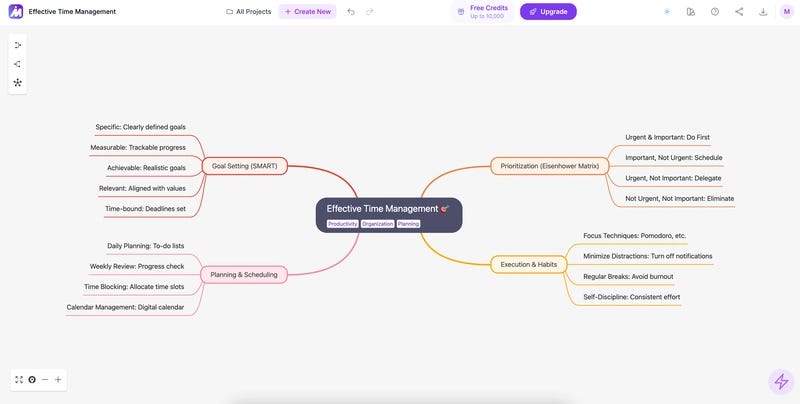
MindMap AI helps users quickly visualize the logical connections of their thoughts with one click from any input, thus making it ideal for brainstorming and knowledge acquisition.
Key features & why to use it:
AI Copilot during brainstorming and editing of the mind map makes the work faster and more efficient by the smart suggestions
Supports various input sources such as text, images, audio, and video, enabling versatile usage.
It allows to export mind maps in commonly-used formats, including PNG and PDF, for easy sharing.
🌎 Website Link: https://mindmapai.app/

I really hope these resources provided practical value for you! If so, make sure to connect with me on Twitter and LinkedIn for daily content!
Also, I already have tons of ideas for the upcoming issues, so if you liked this one, make sure to share it with your friends and subscribe below!